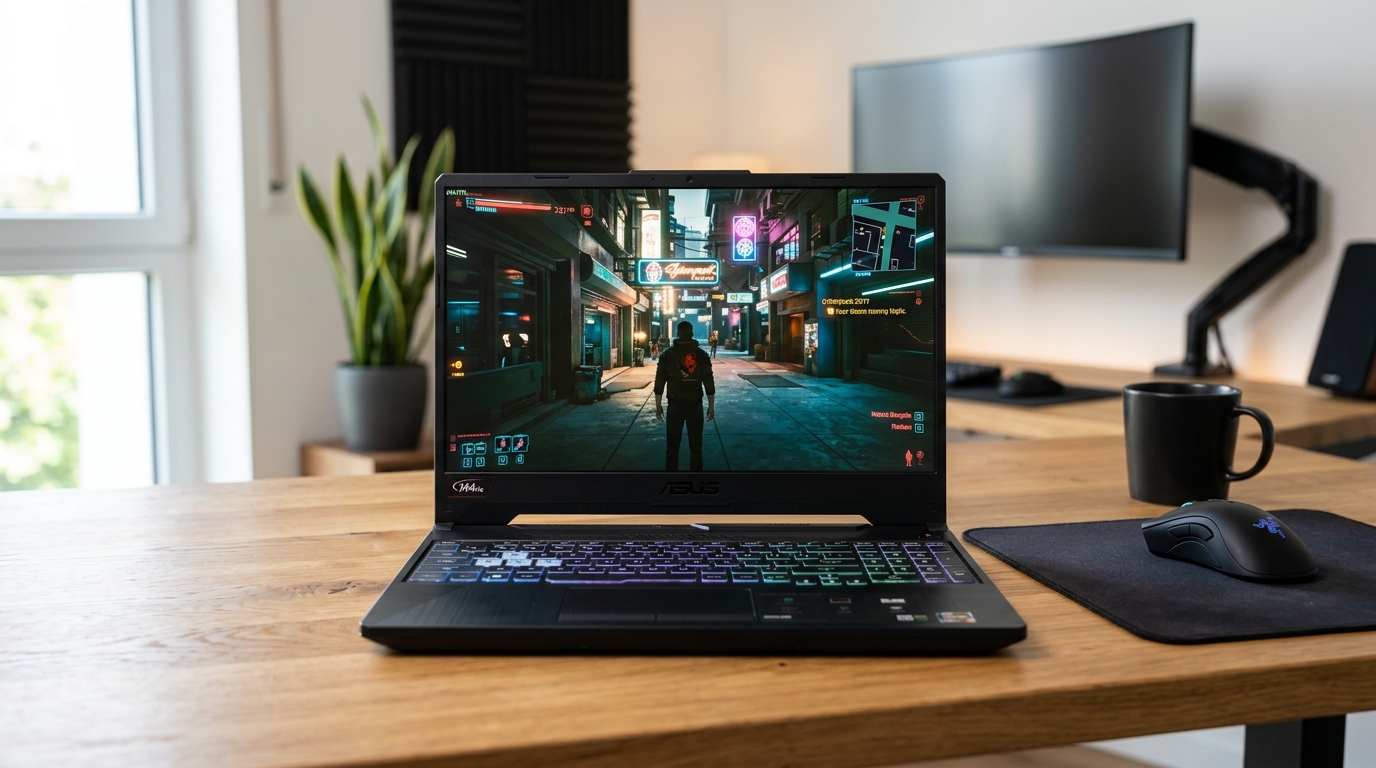
The best entry level gaming laptop delivers smooth 1080p performance in popular titles like Fortnite, Valorant, Minecraft, Roblox, Warzone, and many AAA games without requiring a high budget. For first-time buyers in the USA, models with an RTX 5050 or RTX 5060 (or strong RTX 4060 equivalents), at least 16GB RAM, a 144Hz+ display, and solid cooling offer the best starting point in 2026. These machines handle everyday tasks, school or work, and gaming while staying mostly under or around $1,300 depending on deals.
Entry-level gaming laptops have improved significantly. Nvidia’s Blackwell-generation RTX 5050 and 5060 bring DLSS 4 support, better ray tracing, and frame generation that help newer games run well at 1080p high or medium settings. AMD Ryzen and Intel Core H-series processors pair well with these GPUs. Real users on Reddit’s r/GamingLaptops, r/SuggestALaptop, and similar forums repeatedly recommend focusing on GPU power, upgradeability (RAM and SSD), thermals, and a high-refresh screen rather than chasing the absolute cheapest plastic chassis. Many first-time owners report that spending a bit more on a proven model avoids frustration with low FPS or throttling.
What Makes a Good Entry-Level or Beginner Gaming Laptop?
Prioritize these factors for your first gaming laptop:
- GPU — The graphics card matters most. An RTX 5050 or 5060 (or a well-cooled RTX 4060) handles 1080p gaming comfortably. Lower options like older RTX 3050 or 4050 work for esports and lighter titles but struggle more with demanding 2025–2026 releases at higher settings.
- CPU — Intel Core i5/i7 H-series or AMD Ryzen 5/7 is fine. GPU is the bottleneck at this price, so avoid weak processors.
- RAM and Storage — 16GB DDR5 minimum (upgradeable preferred). 512GB SSD is common; plan to add more storage soon because game installs grow quickly.
- Display — 15.6-inch or 16-inch FHD (1920x1080) IPS panel at 144Hz or 165Hz. Higher refresh rates make motion smoother in competitive games. Color coverage and brightness vary—look for at least decent IPS panels.
- Cooling and Build — Dual fans and good vents reduce throttling. Plastic chassis are normal at this price; focus on models with better hinge quality and keyboard feel.
- Battery and Portability — Expect 4–8 hours of light use and 1–2 hours of gaming. These are desktop replacements more than ultraportables (usually 4.5–5.5 lbs).
- Ports and Upgradability — HDMI, multiple USB, Ethernet, and preferably a free M.2 slot for easy SSD upgrades.
Budget guidance from community discussions: Aim for $1,200 for a capable first machine. Sub-$700 options often cut too many corners on GPU power or thermals.
Real User Experiences from Reddit, Forums, and Reviews
On Reddit, beginners frequently ask for “first gaming laptop” recommendations. Common themes include:
- Many users who bought Lenovo LOQ or Acer Nitro models report strong 1080p performance in Fortnite, GTA, Cyberpunk (with DLSS), and esports titles. One common tip: update NVIDIA drivers, enable high-performance mode, and consider a simple elevating stand for better airflow.
- ASUS TUF owners praise durability and cooling. Some note the chassis feels more premium than pure plastic budget options.
- MSI Cyborg and HP Victus users like the price-to-performance but sometimes mention fan noise under load or average screens. Upgrading RAM from 16GB to 32GB is a frequent first mod for smoother multitasking.
- Warnings appear often: Avoid very old GTX 1650-era machines in 2026 if you want modern titles at respectable settings. Battery life is short during gaming on almost all of these—plug in for serious sessions. Bloatware is common; many recommend a clean Windows install or tools to remove extras.
Expert sites (Tom’s Hardware, PCMag, WIRED, Newegg guides) echo the community: Acer Nitro V series and Lenovo LOQ frequently top budget lists for accessibility, while MSI Cyborg and ASUS TUF earn points for specific strengths like efficiency or toughness.
Top Recommended Best Entry Level Gaming Laptops for 2026
Here are standout options based on current reviews, benchmarks, and user feedback. Prices fluctuate with sales on Amazon, Best Buy, Newegg, and Walmart—check current deals.
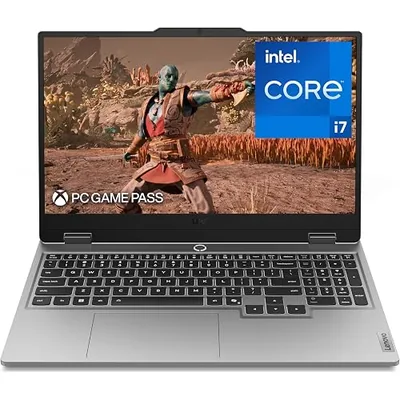
1. Lenovo LOQ 15 – Best Overall Value for Most Beginners
Often called one of the strongest price-to-performance picks. Configurations with RTX 5060 (or strong RTX 4060/5050 variants), Ryzen or Intel H-series CPUs, 16GB RAM, and a 144Hz FHD display deliver excellent 1080p results. Users and reviewers note good keyboards, solid ports (including Ethernet), and better thermals than some rivals in the same range. It handles modern games at high settings with DLSS and remains relevant for several years.
Pros: Strong GPU performance for the money, upgrade-friendly, reliable for both gaming and everyday use.
Cons: Plastic build, average battery, screen quality is good but not OLED-level.
Best for: Most first-time buyers who want balanced performance without overspending.

2. Acer Nitro V15 / V16 – Most Accessible Entry Point
Frequently recommended as the easiest place to start. Models with Intel Core i5/i7 or Ryzen, RTX 5050, 16GB RAM, 512GB SSD, and a 15.6-inch or 16-inch 165Hz IPS display offer smooth esports and solid AAA performance at 1080p. Newegg and review sites highlight it as a straightforward beginner machine. Real-world feedback praises the high refresh rate and competitive pricing, especially during sales.
Find options on Amazon by searching “Acer Nitro V15 RTX 5050” or similar.
Pros: High refresh rate, good value, capable of popular games at high settings.
Cons: Storage fills fast (plan an upgrade), fans can be audible, display color can be average on base models.
Best for: Budget-conscious beginners focused on 1080p gaming.

3. MSI Cyborg A15 – Budget AMD Efficiency Pick
Pairs efficient Ryzen processors (such as Ryzen 7 260) with RTX 5050 or 5060, 16GB DDR5, and a 144Hz FHD panel. Reviewers and users note better battery life between charges compared with some Intel models, which helps for students or light portable use. The cyberpunk-inspired design stands out. It performs well in esports and medium-to-high settings in newer titles.
Pros: Efficient CPU for mixed use, competitive pricing, modern features like DLSS 4.
Cons: Build is budget-oriented, screen and speakers are typical for the price.
Best for: Users who want decent battery alongside gaming and a distinctive look.

4. ASUS TUF Gaming A15 – Durable First Laptop
Known for tougher construction and strong cooling. Configurations with Ryzen 7 or similar and RTX 4060 (or newer equivalents) deliver consistent performance. The 144Hz FHD 100% sRGB panel is a plus for color, and many owners report it holds up well over time. Community threads often recommend TUF models for reliability.
Look for current deals on Amazon with “ASUS TUF Gaming A15 RTX”.
Pros: Solid build and cooling, good display coverage on many models, future-proof enough for beginners.
Cons: Can be a bit heavier, prices vary by exact GPU.
Best for: Buyers who prioritize durability and consistent thermals.

5. HP Victus 15 – Solid Budget Alternative
A frequent recommendation for clean design and decent performance with RTX 4050/4060-class GPUs, Ryzen or Intel CPUs, 16GB RAM, and 144Hz screens. Users on forums appreciate the keyboard and upgrade potential. It serves well as a first machine for mixed school/gaming use.
Pros: Clean aesthetics, good everyday usability, often on sale.
Cons: Some configs have lower TGP on the GPU; display and build feel budget.
Best for: Those wanting a less “gamer-looking” machine that still plays well.
Performance Expectations in Real Games
At 1080p:
- Esports (Valorant, Fortnite, CS2, League): High/ultra settings with high frame rates (100+ FPS easily on RTX 5050/5060).
- AAA titles (Cyberpunk, Black Myth: Wukong, newer releases): Medium-high settings + DLSS/Frame Generation for smooth 50–80+ FPS depending on the exact GPU and power limits.
- Older or less demanding games: Near-max settings with headroom.
Results vary with TGP (power limit) of the laptop GPU—higher-wattage configs perform better. Always update drivers and use NVIDIA Control Panel or GeForce Experience for optimal settings.
Comparison Overview
| Model | Typical GPU | Display | Strengths | Approx. Starting Range | Amazon |
|---|---|---|---|---|---|
| Lenovo LOQ 15 | RTX 5060/5050 | 15.6" 144Hz | Value, performance | $1,200 | Check Price |
| Acer Nitro V15/V16 | RTX 5050 | 15.6–16" 165Hz | Accessibility, refresh rate | $1,100 | Check Price |
| MSI Cyborg A15 | RTX 5050/5060 | 15.6" 144Hz | Efficiency, design | $1,300 | Check Price |
| ASUS TUF A15 | RTX 4060+ | 15.6" 144Hz | Durability, cooling | $1,100 | Check Price |
| HP Victus 15 | RTX 4050/4060 | 15.6" 144Hz | Everyday balance | $1,100 | Check Price |
Prices change frequently—verify current Amazon, Best Buy, or manufacturer listings.
Buying Tips for Your First Gaming Laptop
- Check exact GPU TGP and full specs—not all “RTX 5060” models are equal.
- Prioritize 16GB+ RAM and room to upgrade.
- Read recent user reviews for thermals and hinge quality on the specific SKU.
- Buy from retailers with good return policies (Amazon, Best Buy).
- After purchase: Update Windows, GPU drivers, remove bloatware, set power plan to high performance for gaming, and consider a cooling pad or stand.
- Plan for storage expansion early.
- If possible, wait for sales (Prime Day, Black Friday, back-to-school) for the best deals.
Frequently Asked Questions
Can an entry-level gaming laptop last 3–4 years?
Yes, if you start with RTX 5050/5060-class hardware and keep settings realistic with DLSS. Many Reddit users report older RTX 3060/4060 machines still playable in 2026 with adjustments.
Is 16GB RAM enough?
For most gaming yes, but 32GB improves multitasking and future-proofing. Many models allow easy upgrades.
Should I buy used or open-box?
Open-box from reputable sellers can save money if inspected carefully. Avoid very old used machines for a first purchase.
Desktop or laptop?
A laptop offers portability. If you stay at a desk, a desktop PC usually gives more performance per dollar and easier upgrades.
Final Recommendation
For most beginners seeking the best entry level gaming laptop in the USA market right now, start with the Lenovo LOQ 15 (RTX 5060 configs when on sale) or the Acer Nitro V15 for maximum accessibility. Both deliver the performance, features, and real-user validation needed for a satisfying first experience. The MSI Cyborg A15, ASUS TUF A15, and HP Victus 15 are excellent alternatives depending on your priorities for efficiency, durability, or design.
Check the latest prices and configurations on Amazon, read recent owner reviews, and choose based on current deals. With the right entry-level gaming laptop, you can jump into modern PC gaming without overspending or constant frustration. Enjoy the games!