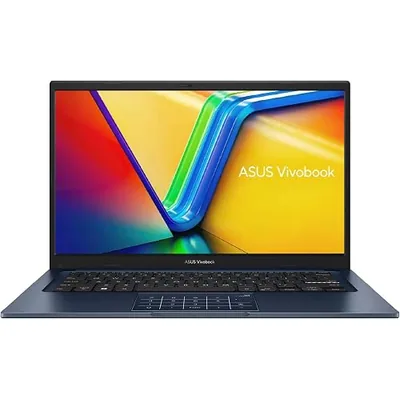
ASUS Vivobook X1404VA-I38128
General · Traditional · 3.9 (6)
- Intel Core i3-1315U
- Integrated
- 8 GB DDR4
- 128 GBSSD
- 14″ 60Hz
- lbs
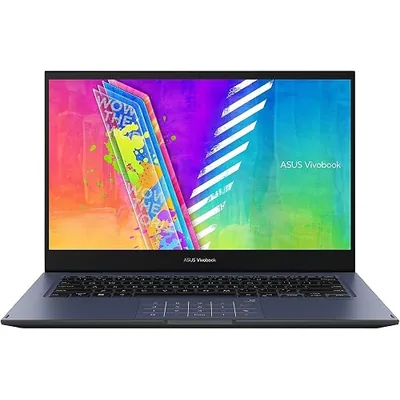
Intel Celeron N4500 · Integrated (Intel iGPU) · 4 GB RAM · 64 GBeMMC · 14″ 60 Hz IPS
3.7 average · 299 Amazon reviews
As Amazon Associates we may earn commission from qualifying purchases. Price captured 2026-09-10.
ASUS VivoBook Go 14 Flip J1400KA-DS02T is a bare-essentials machine best suited to light use in our 101-laptop database.
Evaluated across real-world workloads in our general category.
| Brand | ASUS |
|---|---|
| Model | VivoBook Go 14 Flip J1400KA-DS02T |
| Category | General · 2-in-1 |
| CPU | Intel Celeron N4500 |
| CPU Cores | 2 |
| PassMark (Multi) | 1,770 |
| GPU | Integrated (Intel iGPU) |
| G3DMark | — (integrated) |
| RAM | 4 GB DDR4 (soldered) |
| Storage | 64 GBeMMC |
| Display | 14″ IPS 1366x768 @ 60 Hz |
| Pixel Density | 112 PPI |
| Touchscreen | Yes |
| Dimensions | 12.63″ × 8.54″ × 0.67″ |
| Weight | 3.3 lbs (1.5 kg) |
| Amazon Rating | 3.7 ★ (299 reviews) |
The ASUS VivoBook Go 14 Flip J1400KA-DS02T runs on the Intel Celeron N4500 with 2 cores, posting a PassMark multi-thread score of 1,770. That places it ahead of 0% of the 101 laptops in our database. This is entry-level silicon. Single-app usage is fine, but expect slowdowns under multitasking pressure.
You get a 14″ IPS panel at 1366x768 (112 PPI) refreshing at 60 Hz, with touch input. The IPS panel offers dependable viewing angles and accurate-enough color for everyday use. See where its 2-in-1 hinge ranks in our our guide to the best 2-in-1 laptops.
There is no dedicated GPU here — graphics run on the Intel integrated solution, scoring 1/10 for gaming. Esports staples (Valorant, LoL, CS2) are playable at modest settings; modern AAA gaming is off the table.
For office and productivity work the VivoBook Go 14 Flip J1400KA-DS02T scores 2.1/10. 4 GB of DDR4 memory covers everyday workloads, though heavy multitaskers will hit the ceiling. The 64 GB eMMC keeps boots and file operations adequate.
Developers should expect a 1.1/10 experience. Core count is limited — fine for scripting and web work, slow for big compiles. Note the soldered RAM: buy the capacity you’ll need in 3 years, today.
Without a dGPU, editing leans entirely on the CPU — fine for 1080p cuts, slow for 4K multi-layer work. For color-critical delivery, plan on an external calibrated monitor.
3D and engineering workloads score 1/10. Integrated graphics restrict this machine to light 2D CAD and coursework-scale models.
Battery specifics aren’t listed in our source data, so treat this as guidance: efficiency-focused hardware like this typically delivers strong all-day endurance under office loads. Compare its travel footprint with other models in our best lightweight laptops guide.
RAM is soldered at 4 GB — what you buy is what you keep. Storage is eMMC, which generally cannot be upgraded.
Integrated-graphics designs like this run cool and quiet; fan noise should only surface under sustained heavy loads.
Port selection isn’t enumerated in our source sheet, but as a general convertible in the 14″ class, expect the standard mix of USB-A, USB-C and HDMI. Verify the exact loadout on the Amazon listing before buying.
In the Under $300 category, the value score is 4.6/10. You are paying some premium here — brand, build or panel quality rather than raw benchmark throughput. Check our breakdown of competing options in our top-scoring laptops under $500.
Looking for close alternatives? Review our spec-by-spec ASUS VivoBook Go 14 Flip J1400KA-DS02T vs ASUS Vivobook X1404VA-I38128 matchup, or explore similar models in the same tier below.
General · Traditional · 3.9 (6)
General · Traditional · 4.4 (279)
General · Traditional · 4.2 (461)
Not really. It uses integrated graphics (1/10 gaming score). Esports titles are playable at low settings, but modern AAA games are not realistic. For AAA gaming, consider stepping up to a dedicated GPU configuration.
Only if its specific strengths match your needs at $219, with a 4.6/10 value score.
No — the 4 GB of DDR4 memory is soldered to the board. Choose the capacity you will need long-term at purchase.
It scores 4.4/10 on our student index. Probably not the best student pick — compare lighter alternatives.
It weighs 3.3 lbs (1.5 kg) and measures 0.67″ thick. That is genuinely portable for daily carry.